search inside of jira - incredibly fast, like a pro!
TL;DR: We show you how to configure Google Chrome to search through you browser search bar directly in your Atlassian/Jira system
With the following instructions you will be able to type a search term into the Google Chrome Search Bar (the so called Omnibox) and it will take you to a matching search in Jira.
If you are good at remembering issue numbers, you can also enter them into the Omnibox (e.g. PROJEKT-130) to jump directly to your desired ticket.
let's configure Google Chrome to accept Jira search therms:
- Go to Settings
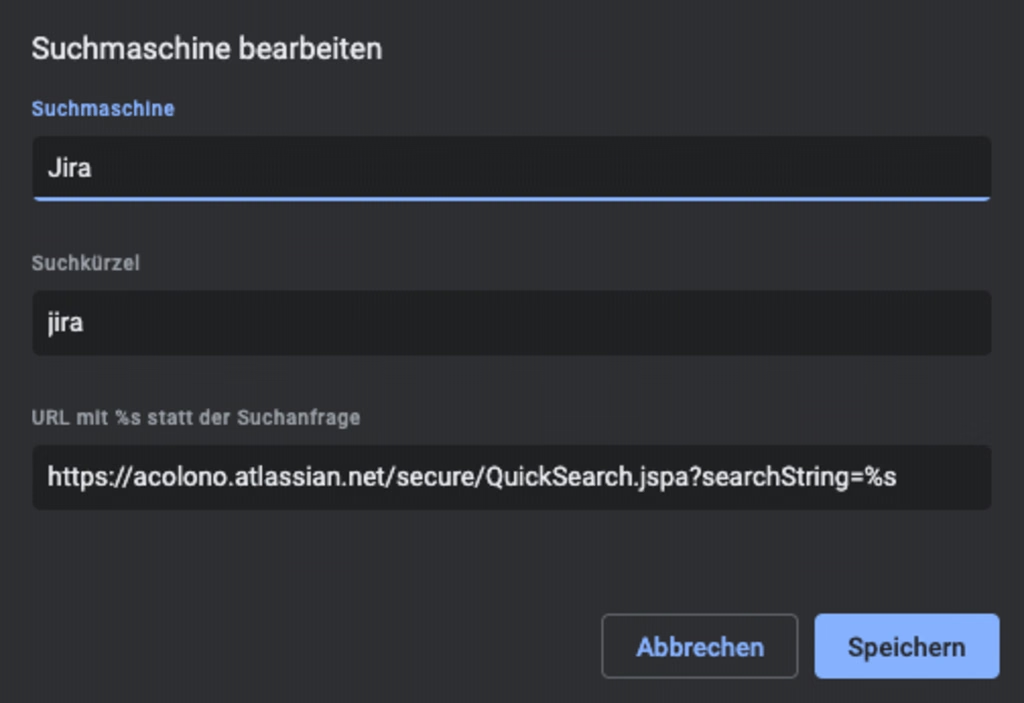
Settings > Search Engines > Manage Search Engines - Add new Search Engine
Search Engine:
Jira
Short:
jira
URL:
https://COMPANY.atlassian.net/secure/QuickSearch.jspa?searchString=%s - Search Jira faster
From now on you can simply use the Omnibox and type jira (followed by a SPACE or TAB) and the Search therm or Issue ID. Hit enter and jump to the right place, instead of clicking around.

Firefox
In Firefox there is currently no way to extend the Search Bar (Omnibox). But there is a nice Add-On which is useful too.
Download Quick JIRA for Firefox. Quickly opens the JIRA with the corresponding ticket.
